
AI Photo Editor: Make Every Photo Look More Professional Fast Online
How to Use AI Photo Editor in 3 Simple Steps
Editing shouldn’t feel like work, this AI photo editor keeps it simple.

Step 1: Upload Your Photo
Drag and drop any photo you want to improve. The AI photo editor supports common formats and works directly in your browser, so you don’t need to install anything.
Step 2: Enter Your Prompt
You can add a description to guide the AI photo editor toward a certain functionality. Alternatively, you can select an existing prompt based on the image you want to generate, such as replace background、object remover and more.
Step 3: Generate & Download
Our AI photo editor will generate the image you want based on your input prompt. You can download and use the generated image anywhere, without a watermark.
Why Choose Our AI Photo Editor?
Here’s why creators, sellers, and everyday users choose this AI photo editor.
Natural Results
This AI photo editor keeps skin, edges, and colors realistic—no plastic smoothing or harsh HDR. Get clean, believable edits that still look like you.
Fast in Browser
A free AI photo editor that runs in your browser—upload, edit, preview, export. No installs, no heavy software, and no slow, multi-step workflows.
Easy Controls
This photo editor AI is built for speed and simplicity: smart defaults, clear options, and quick fine-tuning so you can get pro-looking results in minutes.
Privacy-Minded
Use the AI photo editor with a straightforward flow: upload, process, download. We aim to keep your editing experience simple, secure, and low-friction.
High-Quality Exports
Free AI photo editor results you can actually use: sharp details, clean edges, and ready-to-publish files for web, social, and e-commerce.
Consistent Output
Photo editor AI that helps keep your look consistent across posts, ads, and listings—so your visuals feel cohesive, professional, and on-brand every time.
AI Photo Editor Features You’ll Actually Use
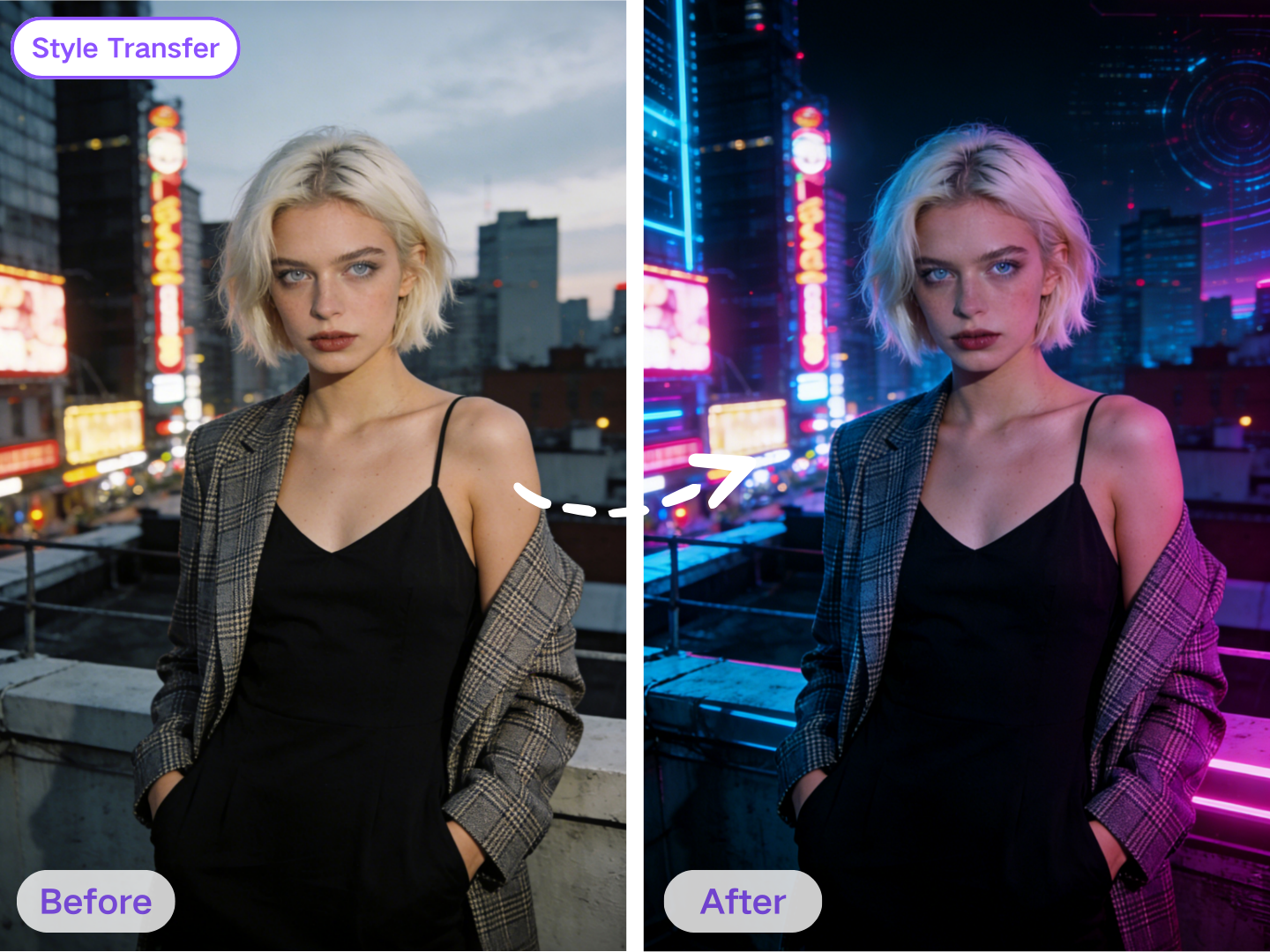
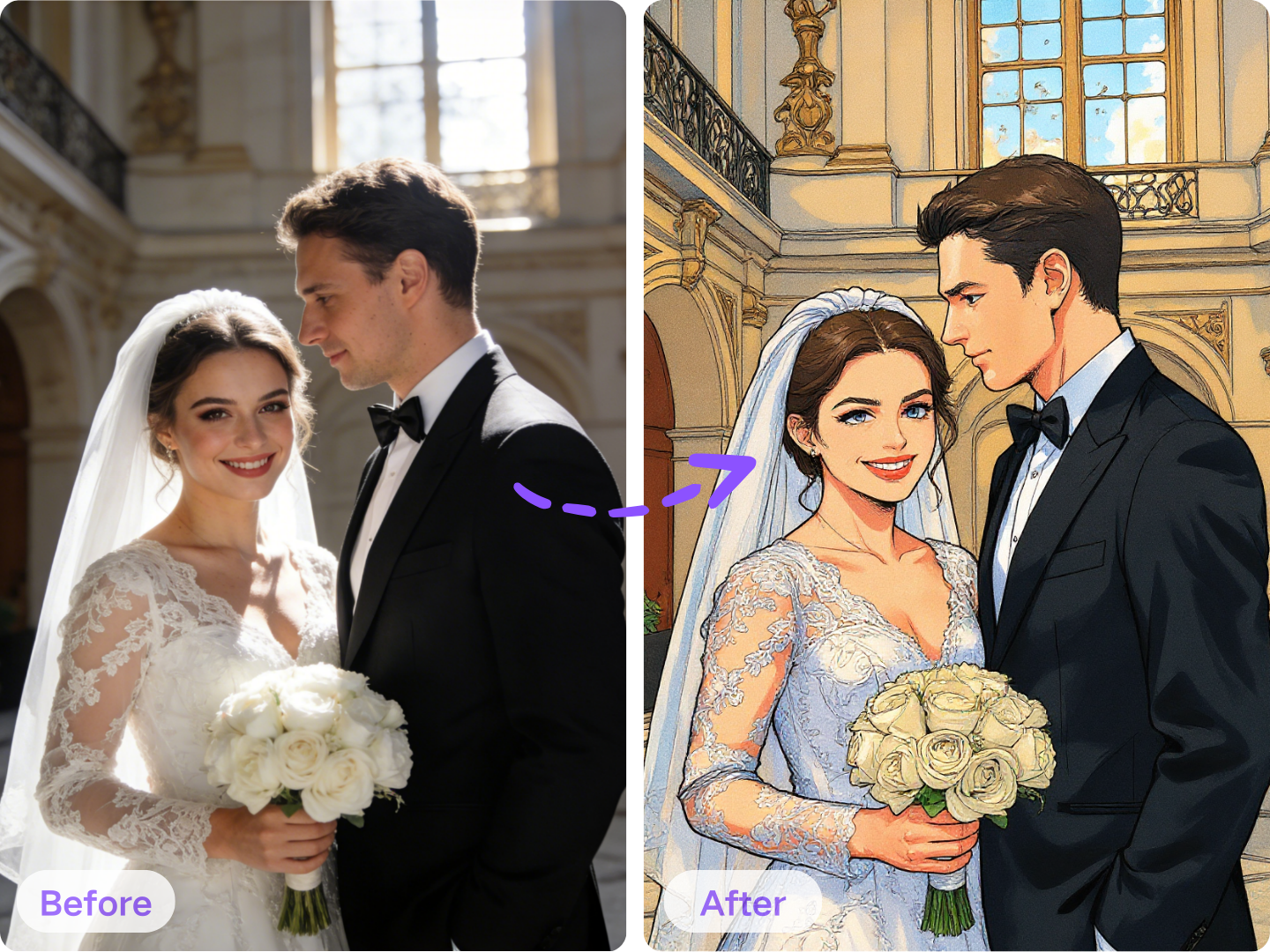
AI Photo Editor Style Transfer: From Photo to New Aesthetic Fast
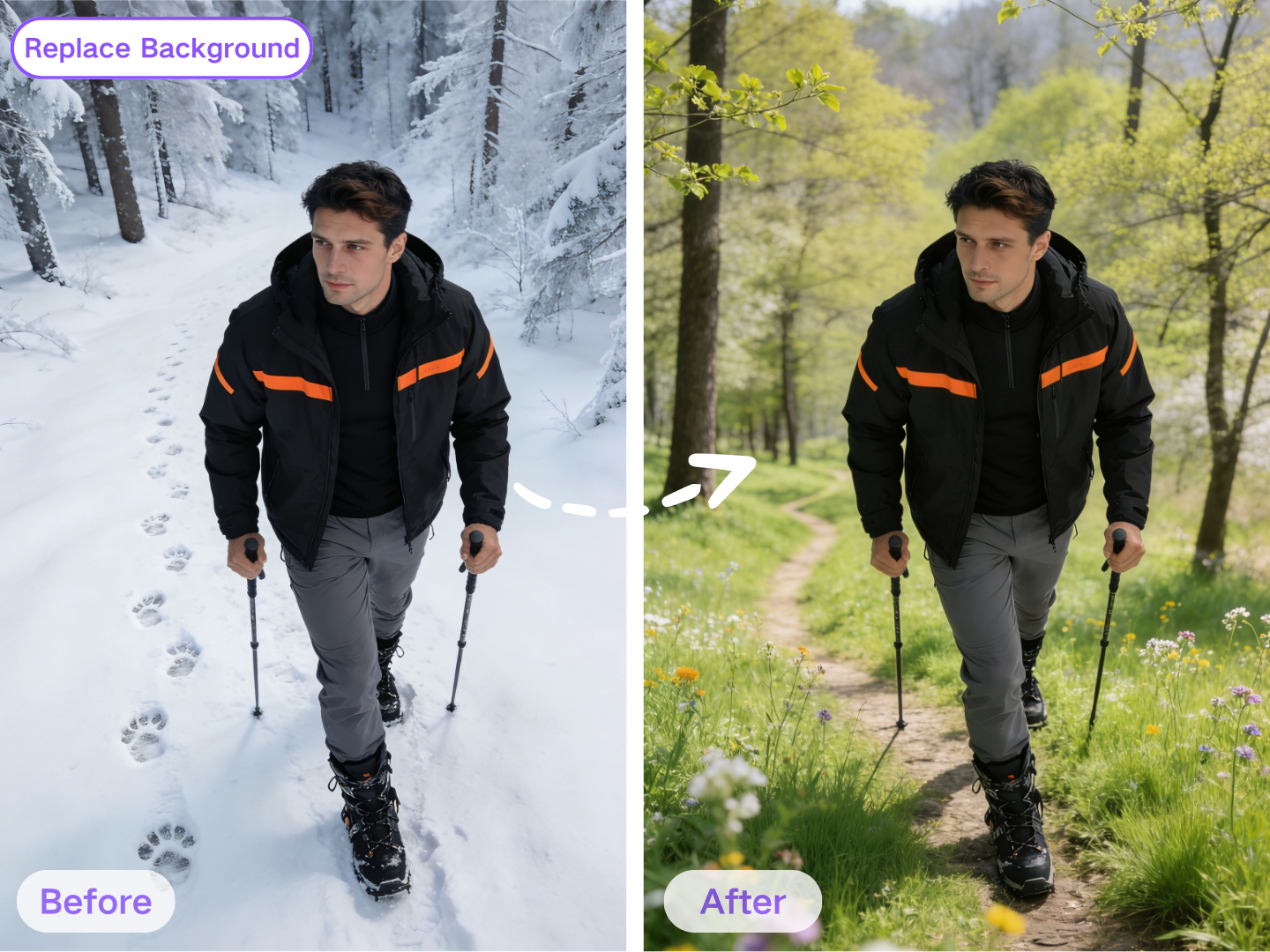
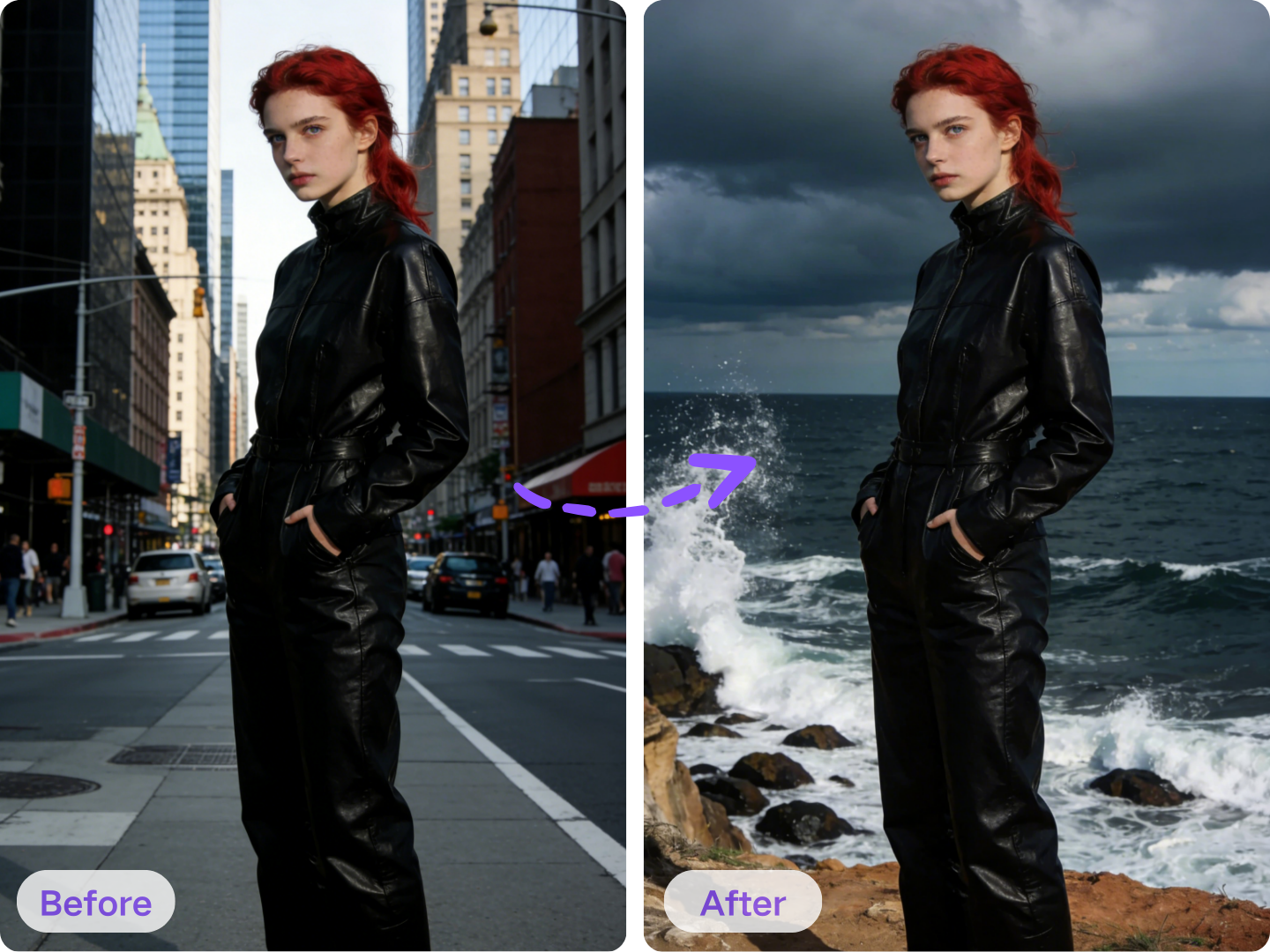
Replace Background in Your AI Photo Editor: Clean, Realistic Cutouts
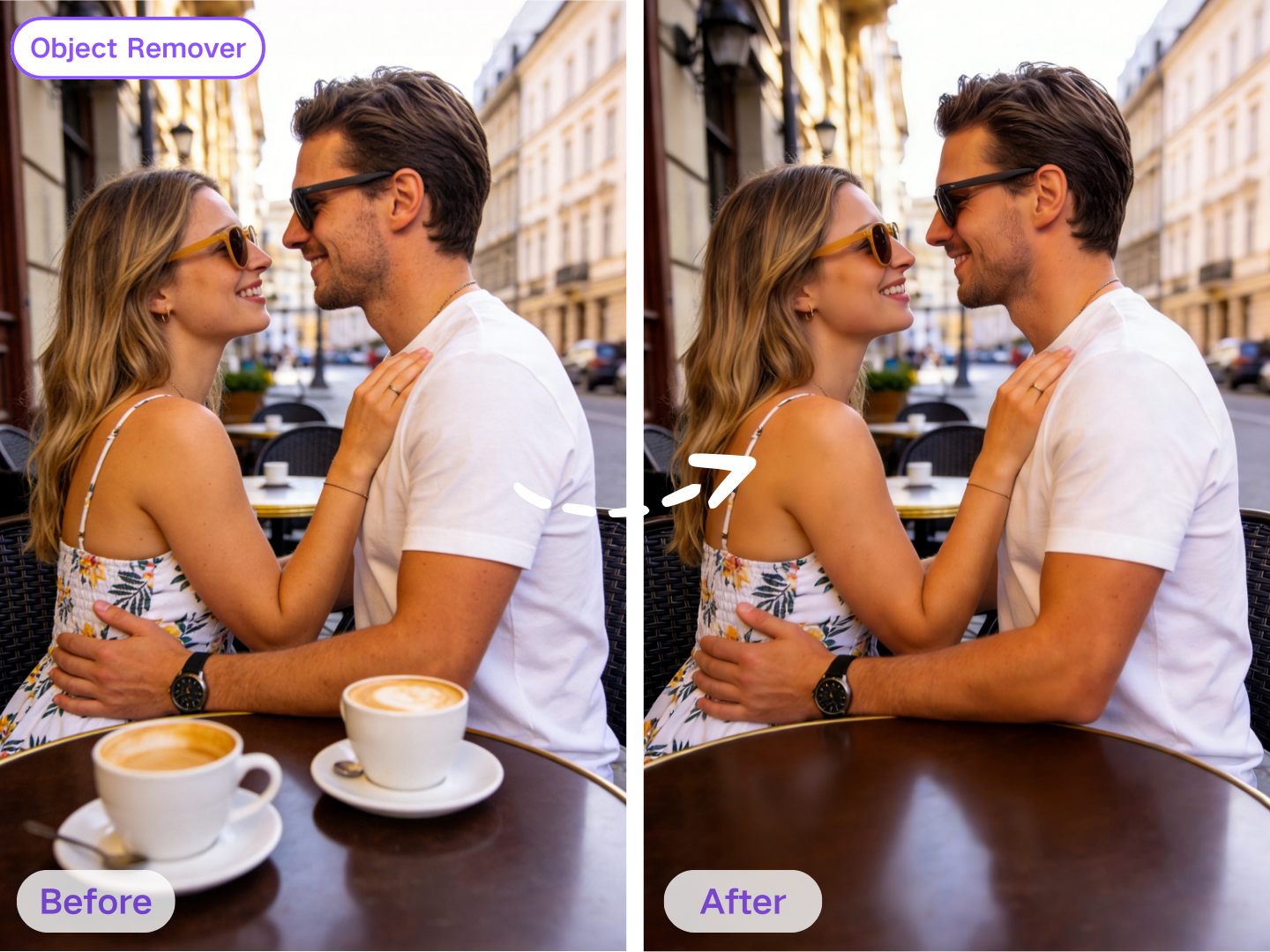
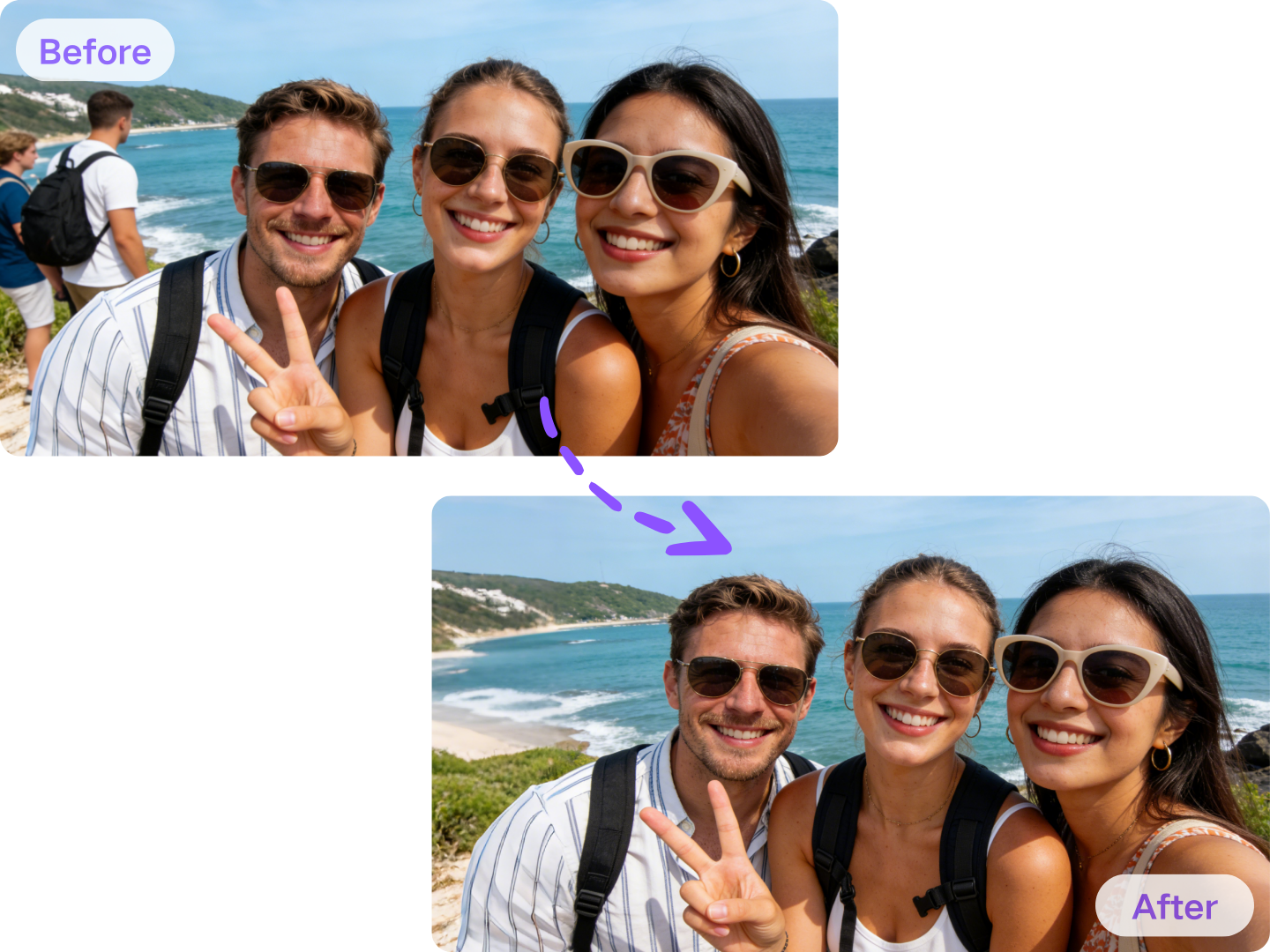
Object Remover with AI Photo Editor: Remove Distractions Seamlessly
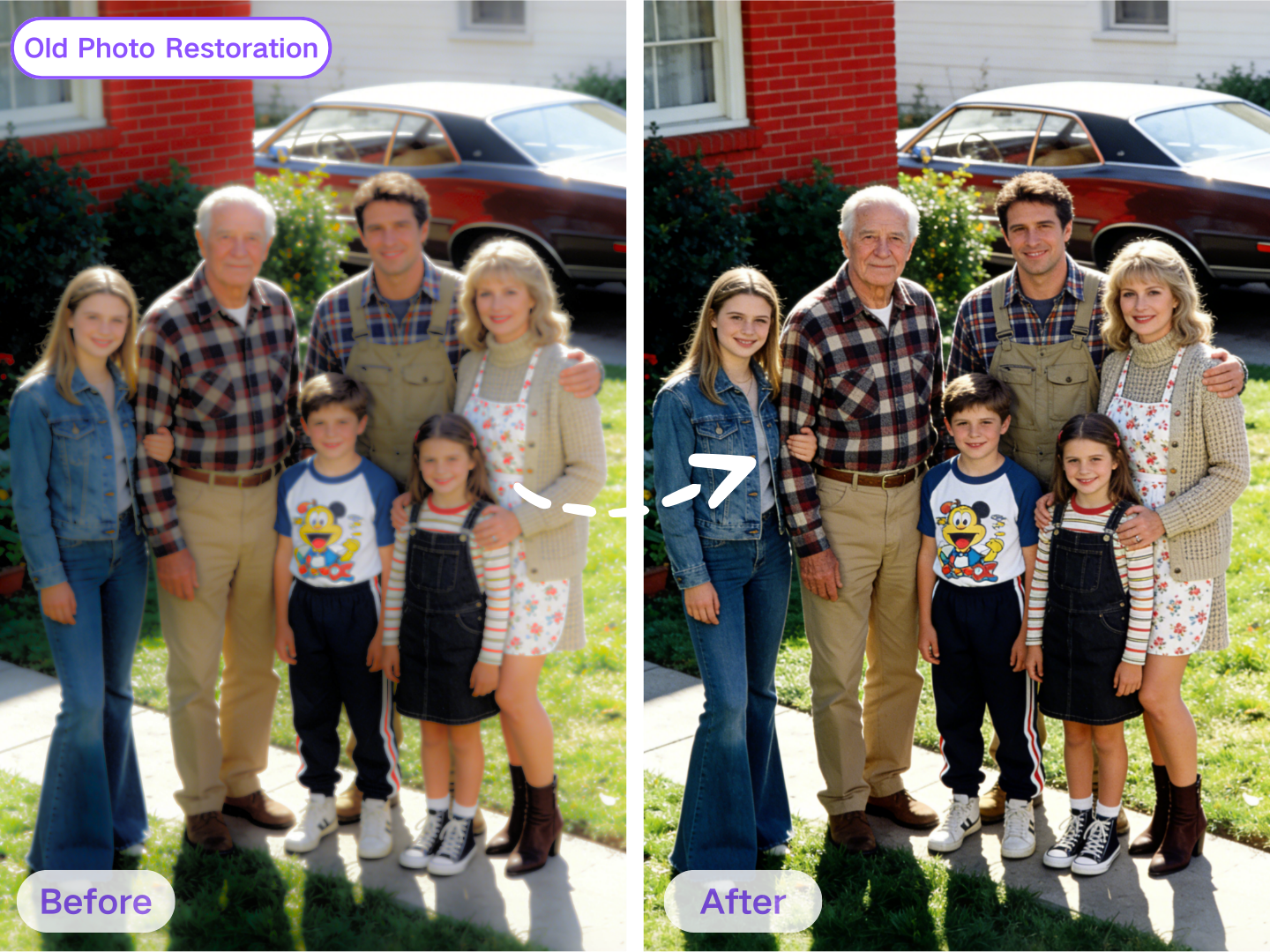
Old Photo Restoration with AI Photo Editor: Restore Memories Naturally
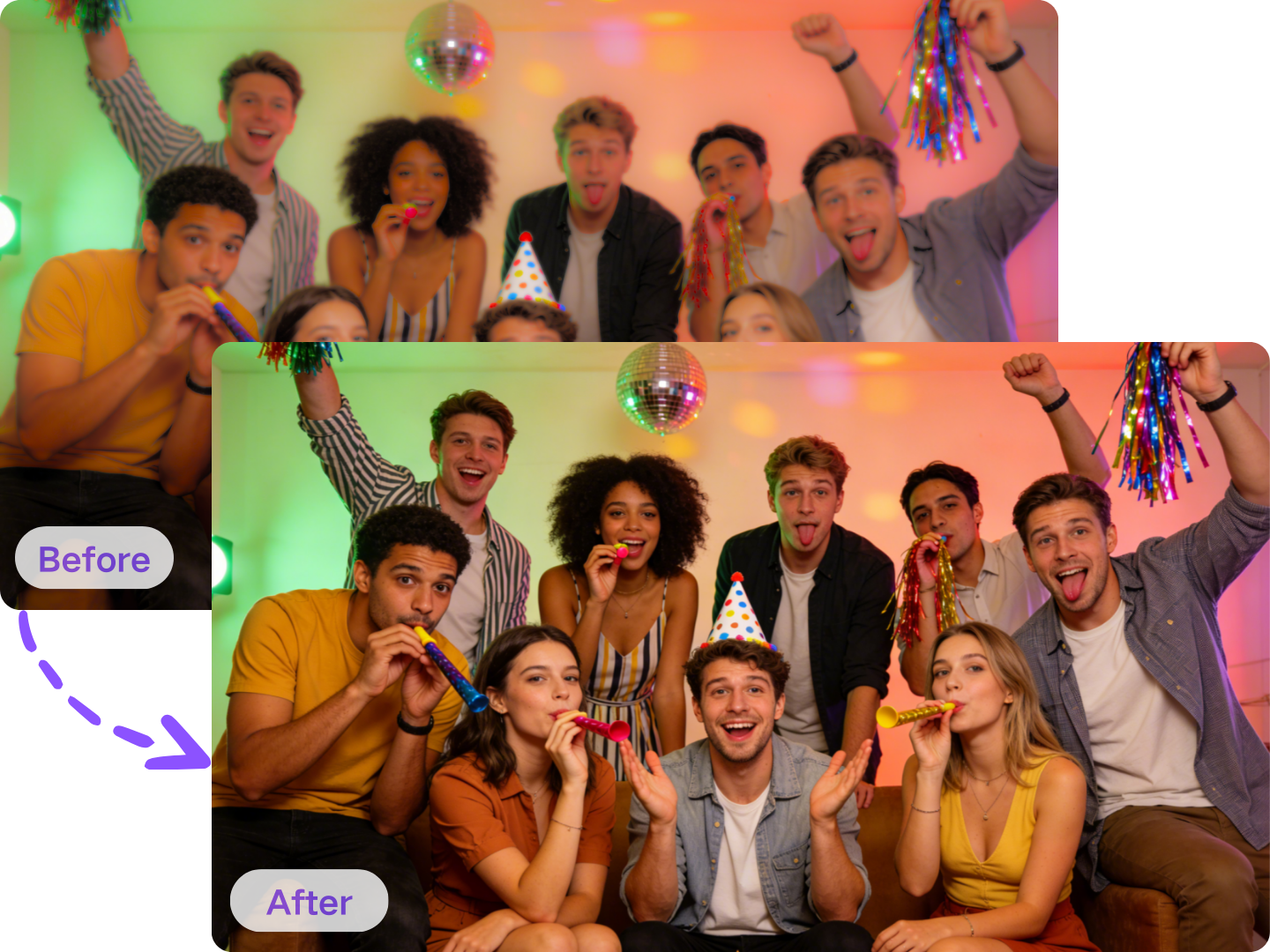
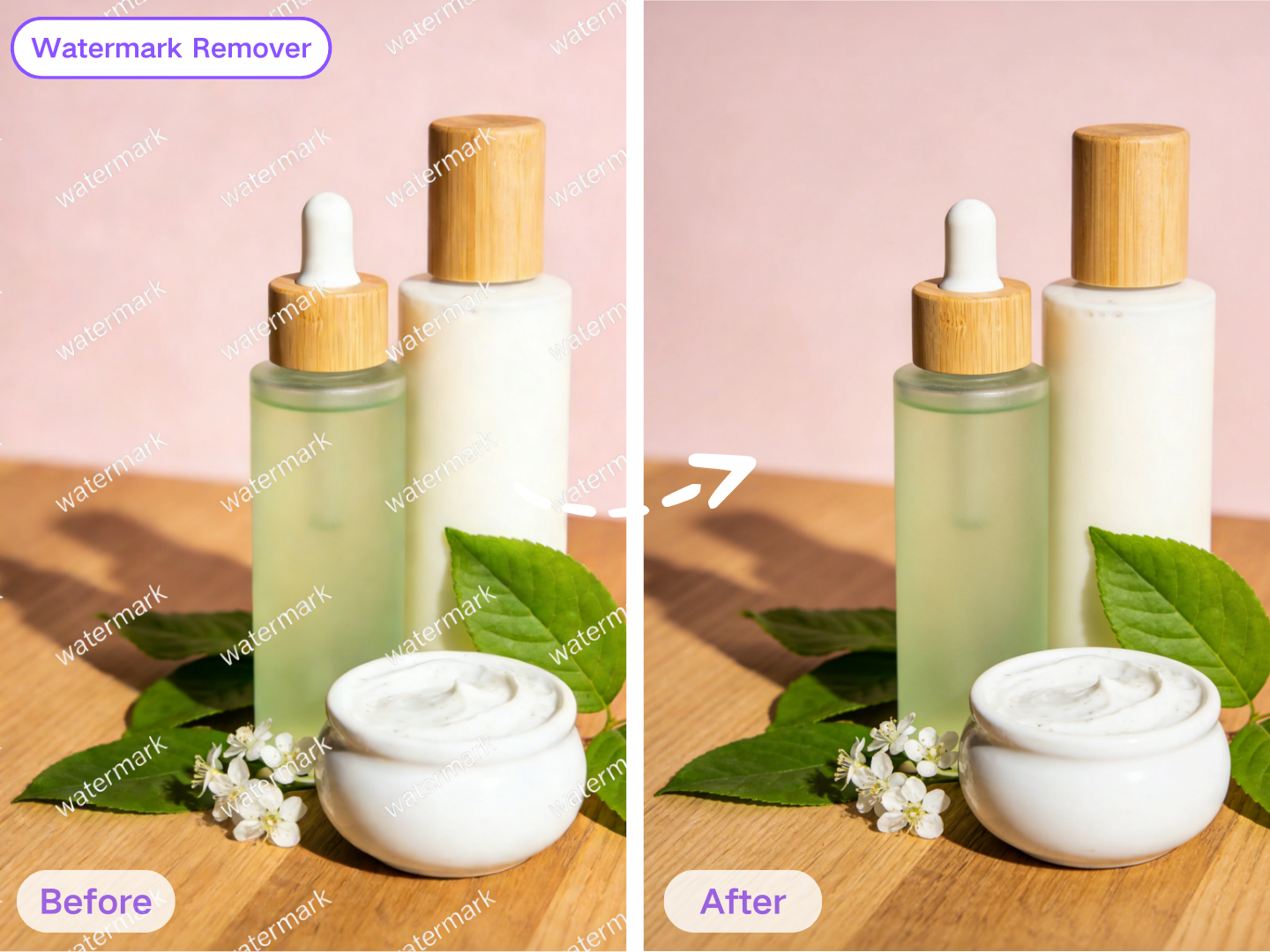
Watermark Remover in the AI Photo Editor: Clean Up Owned Assets
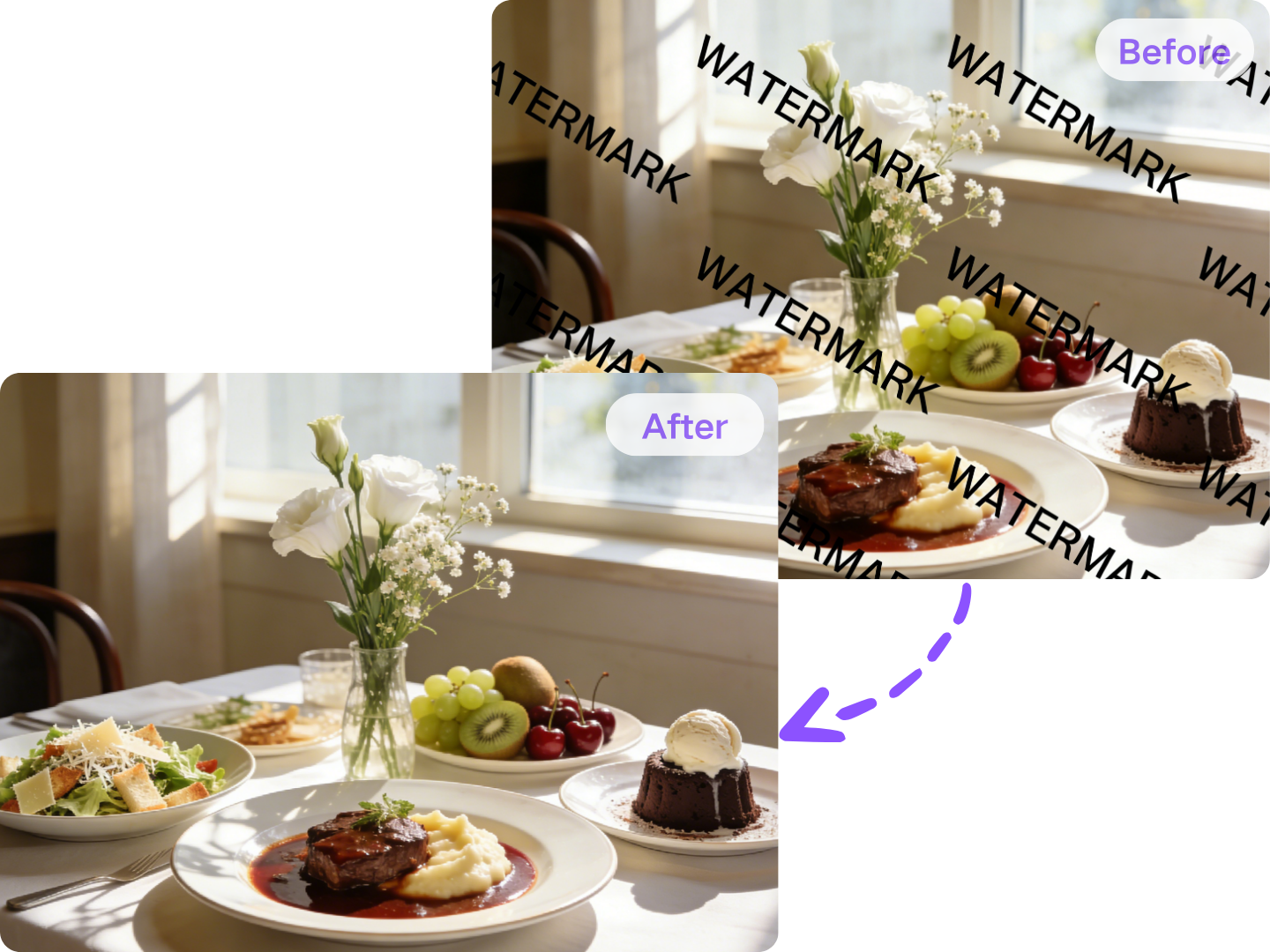
AI Photo Editor Style Transfer: From Photo to New Aesthetic Fast
Replace Background in Your AI Photo Editor: Clean, Realistic Cutouts
Object Remover with AI Photo Editor: Remove Distractions Seamlessly
Old Photo Restoration with AI Photo Editor: Restore Memories Naturally
Watermark Remover in the AI Photo Editor: Clean Up Owned Assets
FAQs: Everything About AI Photo Editor
Below are the most common questions creators ask before switching to use AI photo editor.
What Users Say About Our AI Photo Editor
The best AI photo editor doesn’t change who you are—it simply removes the distractions and lets your photo shine.

Maya R.
Social Media Manager
"This AI photo editor makes daily content so much faster. Auto-enhance looks natural, Replace Background edges are clean, and exports are crisp. It’s the best photo editor AI workflow I’ve used for posts."

Daniel K.
Etsy Store Owner
"I shoot products on my phone and fix everything with this AI photo editor. Backgrounds come out studio-clean, the object remover helps fast, and it feels like a true free AI photo editor for small shops."

Sofia L.
Freelance Photographer
"For quick client previews, this photo AI editor is a lifesaver. Upscale restores detail, retouching stays realistic, and style transfer is subtle when needed. A solid AI photo editor free option."
Arjun P.
Student & Creator
"I needed an AI photo editor free tool for thumbnails and profile pics. It’s easy, fast, and doesn’t make my face look fake. The photo editor AI results look polished without heavy filters."
Upload a Photo and Try the AI Photo Editor Today!
Ready to upgrade your photos without complicated software? Use the AI photo editor now to enhance, retouch, remove backgrounds, and upscale.