
How to Quickly & Easily
Buy Credit in Deepfake Maker
In an ever-evolving compliance and risk control environment, Deepfake Maker has officially launched its latest payment method: the mainstream Telegram payments method. It supports one-time point purchases (without automatic renewal) and flexible add-ons later, with points credited instantly upon payment.
This blog will guide you through using Deepfake Maker's latest payment method and the settlement experience in 3 situations , helping you to more conveniently experience the services offered by Deepfake Maker.
Tips:Please log in to your Telegram account before purchasing credits on Deepfake Maker. Paying in advance via your Telegram Wallet will unlock a faster Deepfake Maker purchasing experience.
Desktop & Web
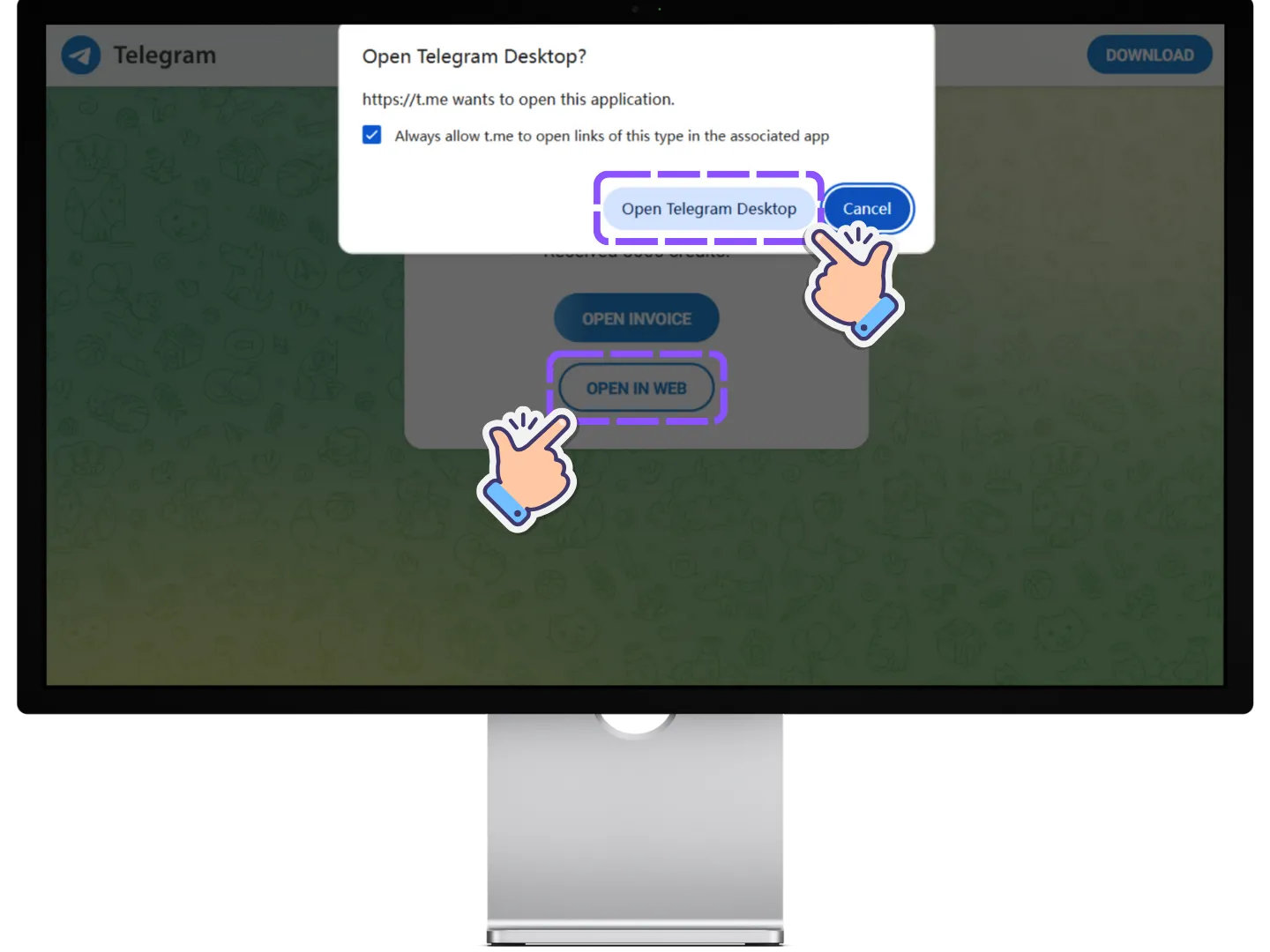
Go to the Payment Page
You will be directed to a page where you can pay on the Telegram web page or open the Telegram app.
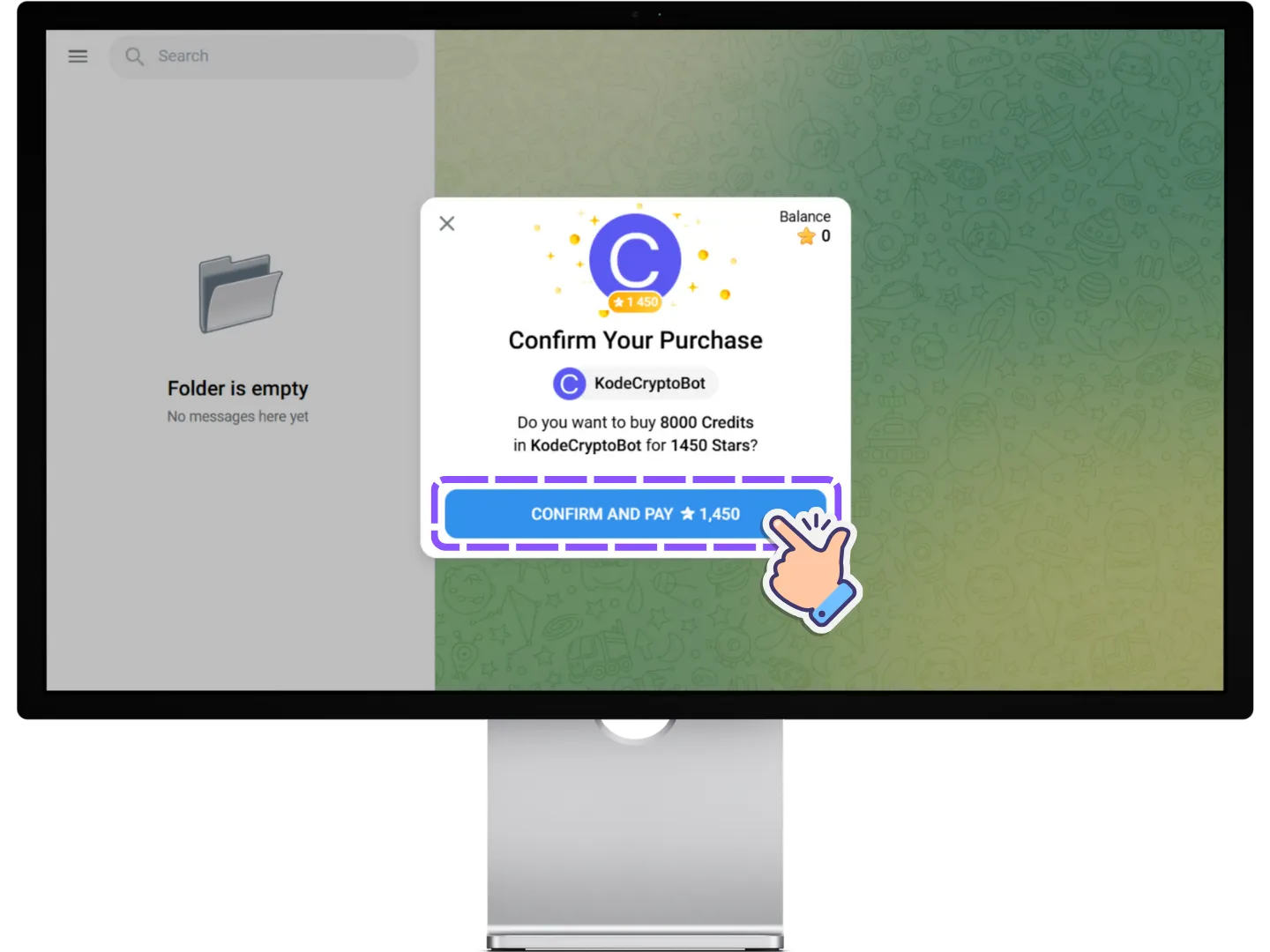
Confirm & Pay
Click the Confirm and Pay" button to complete your payment.
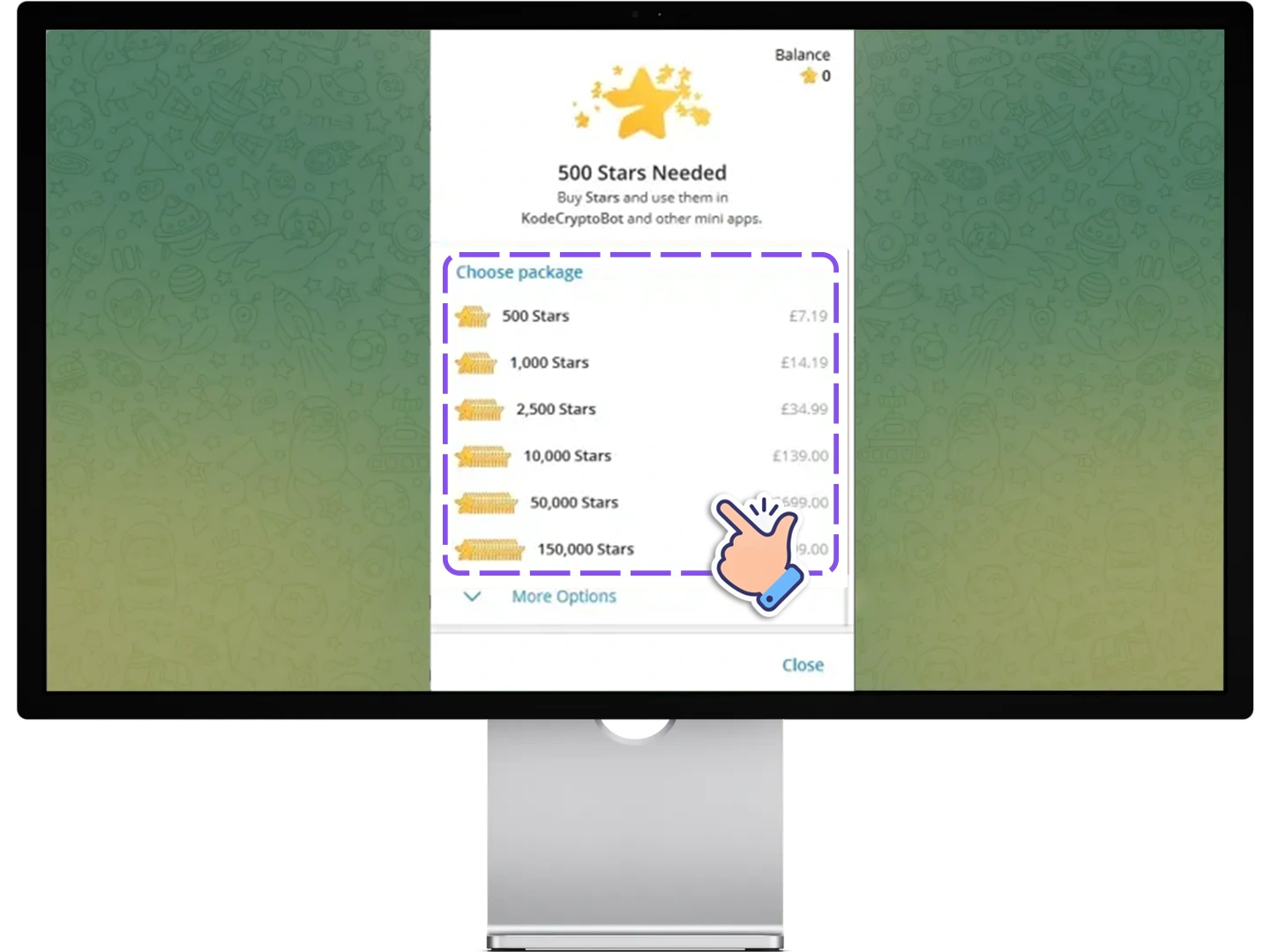
Buy Stars (If Needed)
Deepfake Maker credits are paid with Telegram Stars. If you don't have enough Stars, Telegram will prompt you to buy Stars first — pay with Apple Pay, Google Pay, or a bank card, then return to complete your payment.
Check Your Balance
After successful payment, your account credit will update. Please verify it has been added.

Android
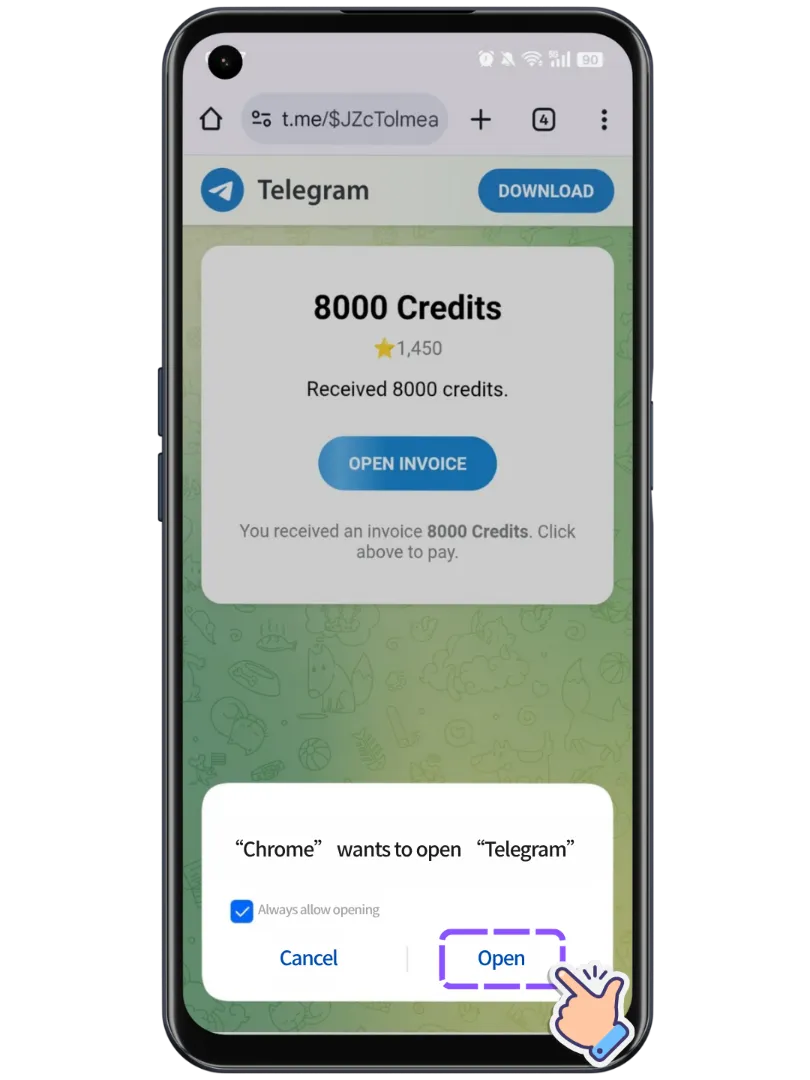
Go to Payment Page
You will be directed to the payment page. Please allow the page to redirect you to Telegram.
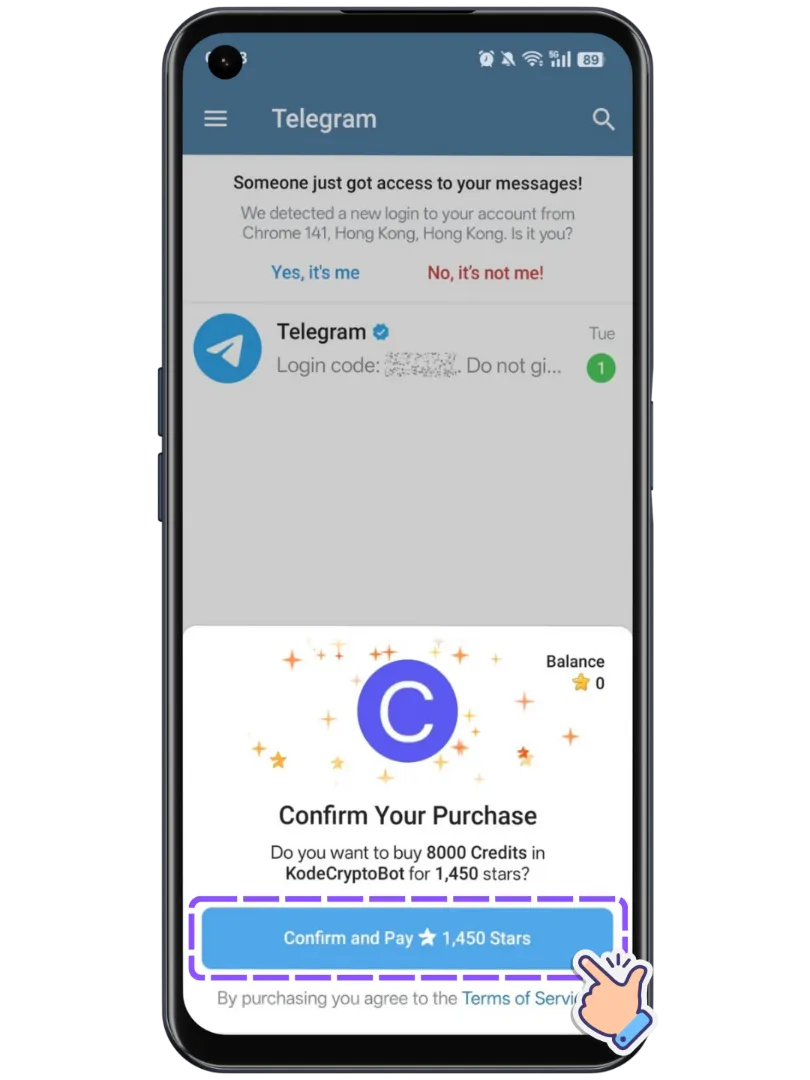
Confirm & Pay in Telegram
After switching to the Telegram app, tap the Confirm and Pay button to complete your payment.
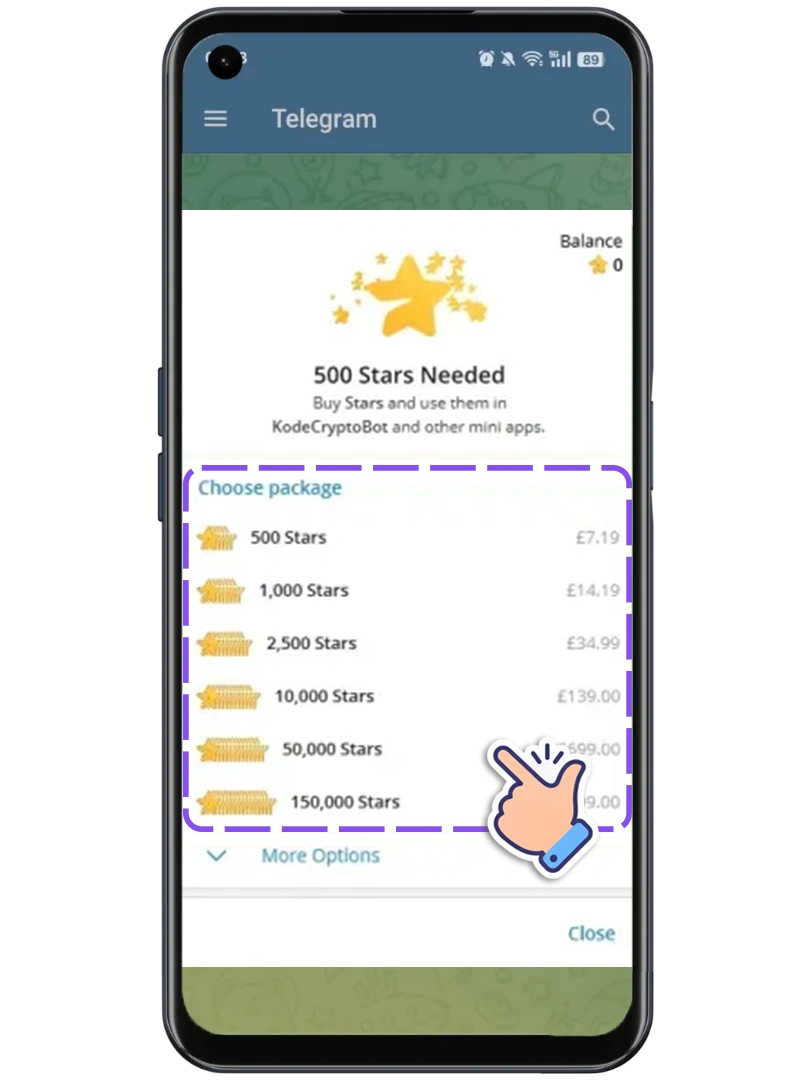
Buy Stars (If Needed)
Deepfake Maker credits are paid with Telegram Stars. If you don't have enough Stars, Telegram will prompt you to buy Stars first — pay with Apple Pay, Google Pay, or a bank card, then return to complete your payment.
Check Your Balance
Once payment is successful, your account credit will update. Please verify that it has been added.

iOS
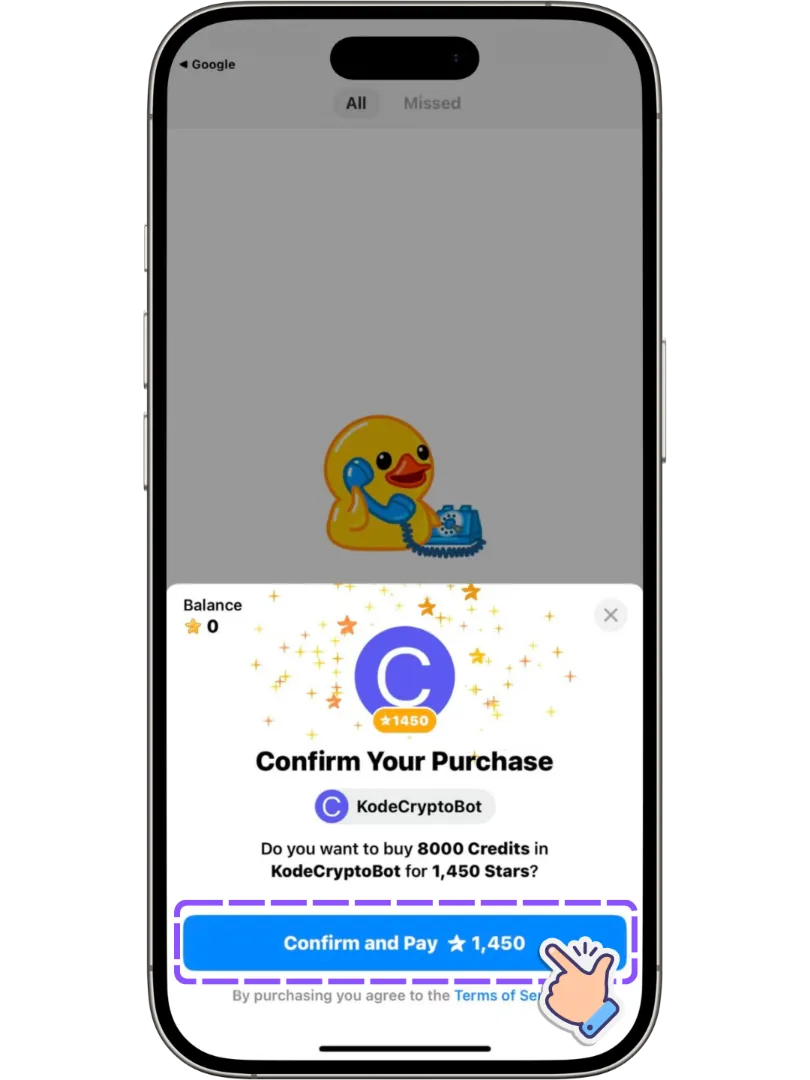
Confirm in Telegram
You will be automatically redirected to the Telegram app. Click Confirm and Pay" to complete your payment..
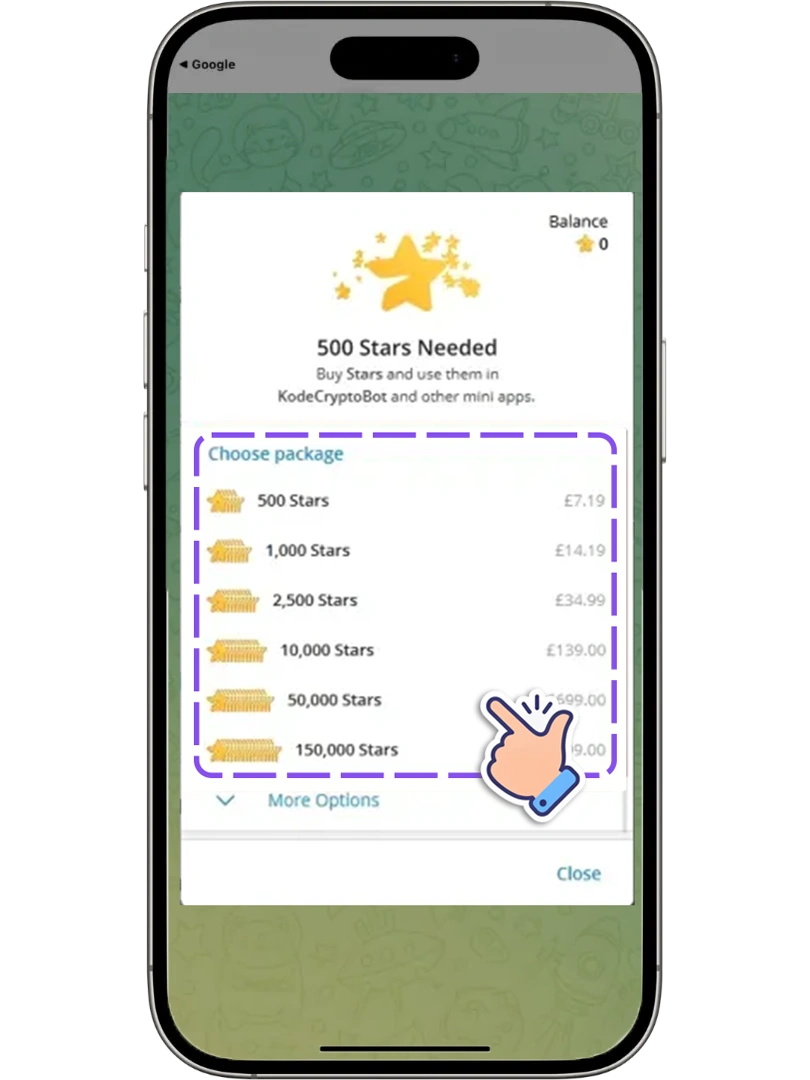
Buy Stars (If Needed)
Deepfake Maker credits are paid with Telegram Stars. If you don't have enough Stars, Telegram will prompt you to buy Stars through the App Store, then return to complete your payment.
Check Your Balance
After payment is successful, your account credit will update. Please verify it has been added.
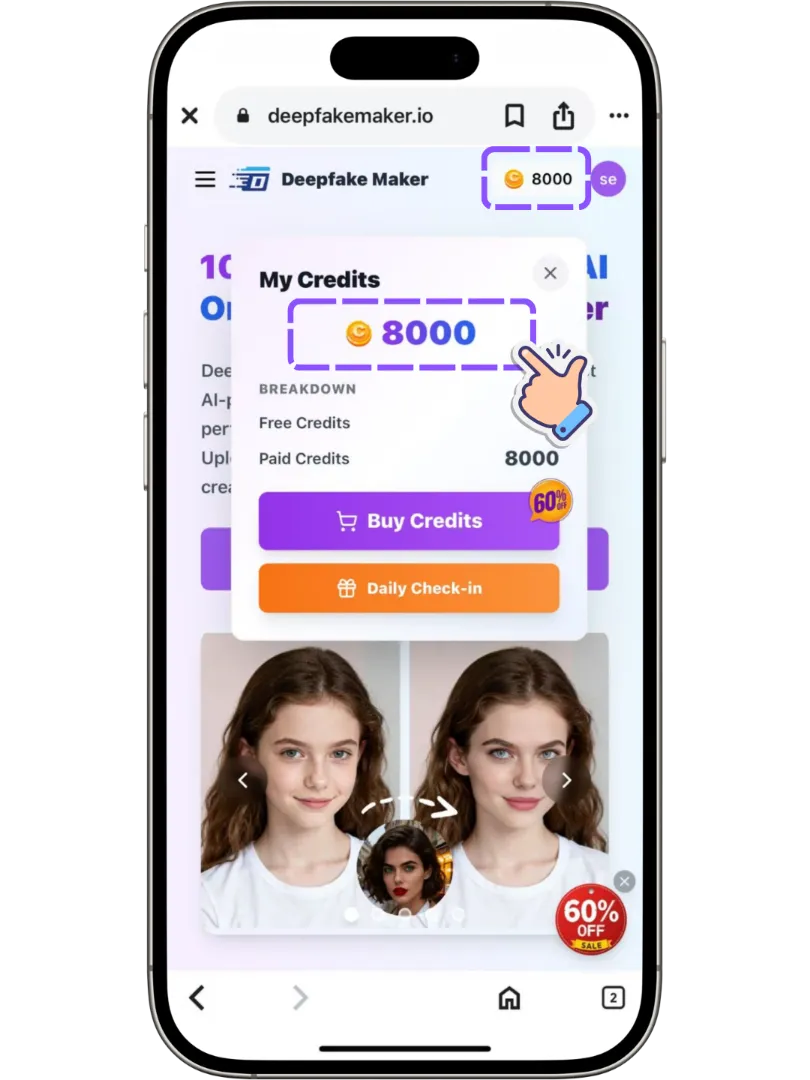
See? You can complete a Deepfake Maker credit purchase in just few steps. One-time payment, long-term usability. Points never expire, start working anytime. Start experiencing Deepfake Maker now!
Any other questions? Feel free to contact us via email: [email protected]
Ready to Create with Deepfake Maker Now?
Pick a package, pay on Telegram, start using Deepfake Maker now.